

Quick support
Dapatkan bantuan jarak jauh yang cepat dan andal dari tim customer service kami.
Untuk Windows:
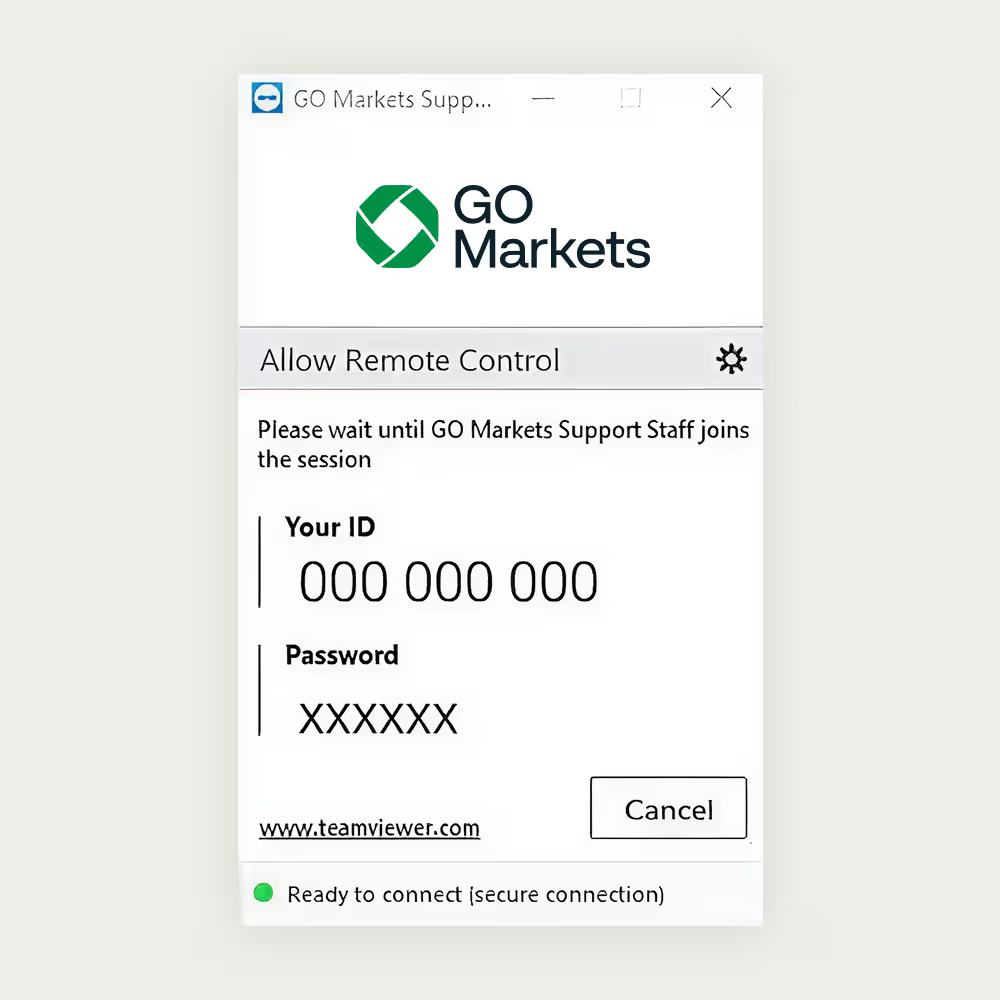
Izinkan akses kendali jarak jauh
1. Jalankan GO Markets quick support dengan mengklik dua kali pada Aplikasi ‘TeamViewQS’.
2. Baca disclaimer dan klik ‘Accept’.
3. Berikan ‘ID TeamViewer’ dan ‘Password’ Anda kepada tim dukungan GO Markets setiap kali Anda membutuhkan bantuan.
Untuk Mac:
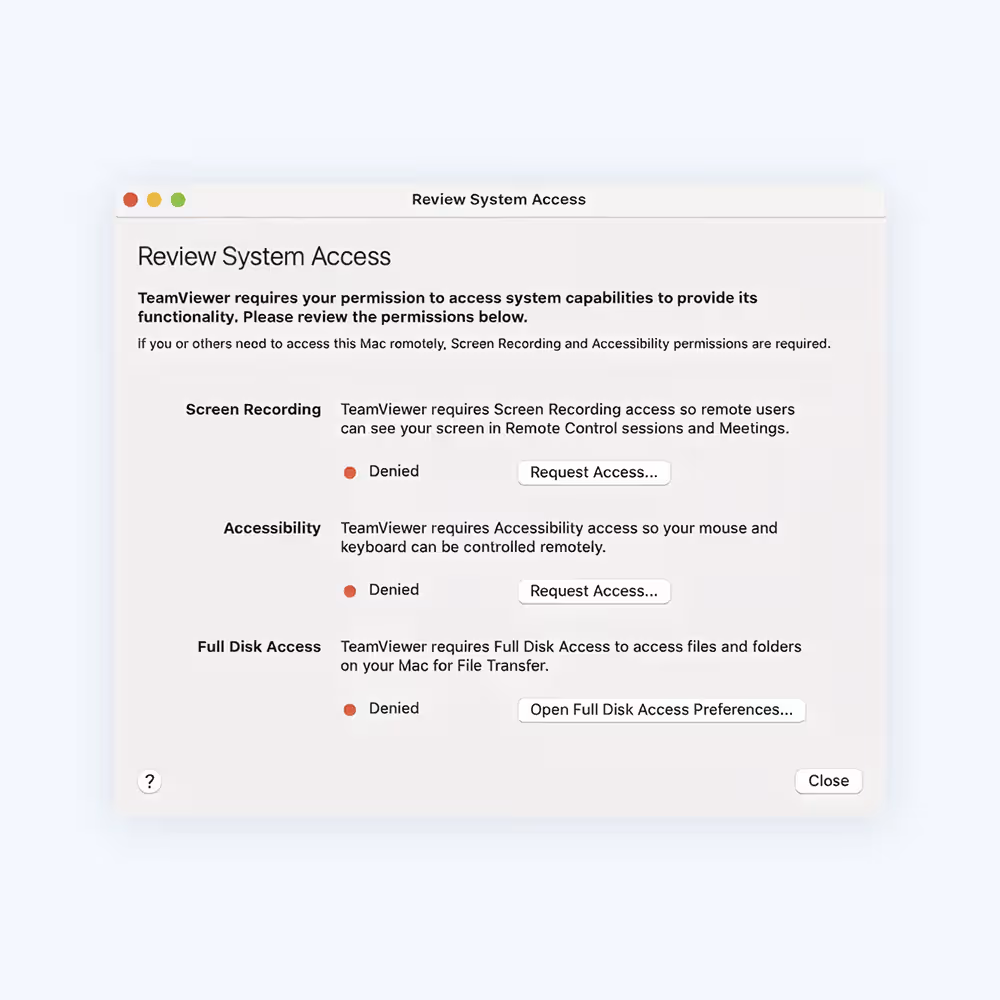
Cara memberikan akses ke TeamViewer di Mac Anda
Saat memulai TeamViewer di Mac Anda dan menjalankannya untuk pertama kali, Anda mungkin akan melihat dialog berikut.
Anda juga dapat membuka dialog ini dengan mengklik Help > Check system access.
Untuk mengizinkan kendali jarak jauh pada Mac, Anda perlu memberikan izin untuk:
• Screen Recording (Izin Perekaman Layar tidak diperlukan pada macOS 10.14 Mojave) dan aksesibilitas.
• Untuk menggunakan transfer file, Anda perlu memberikan izin untuk: Full Disk Access
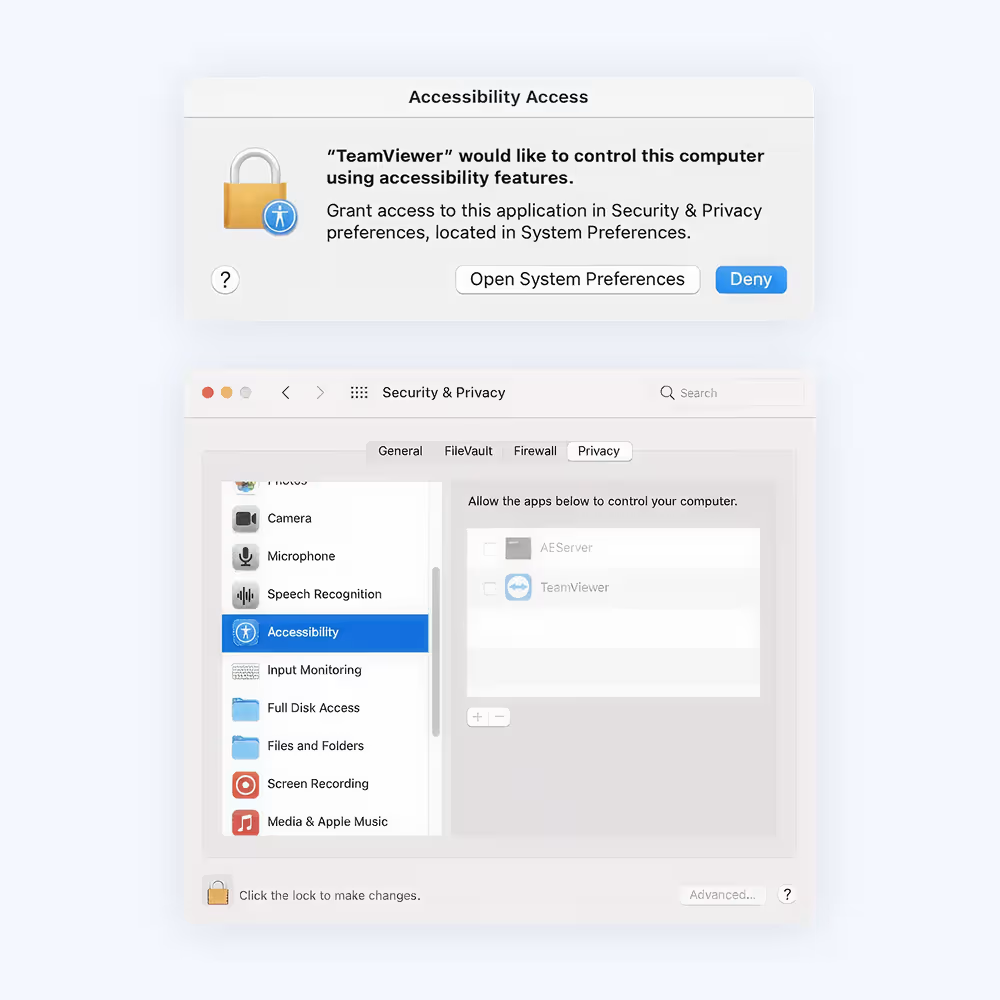
Cara memberikan akses
Untuk memberikan akses, klik setiap tombol dalam dialog. Ini akan membawa Anda ke pengaturan terkait di Security & Privacy.
Dalam contoh ini, kita akan menggunakan Accessibility. Klik tombol Request Access di sebelah kanan Accessibility.
Pada dialog berikutnya, klik Open System Preferences.
Ini akan membawa Anda ke bagian Accessibility pada preferensi Security & Privacy.
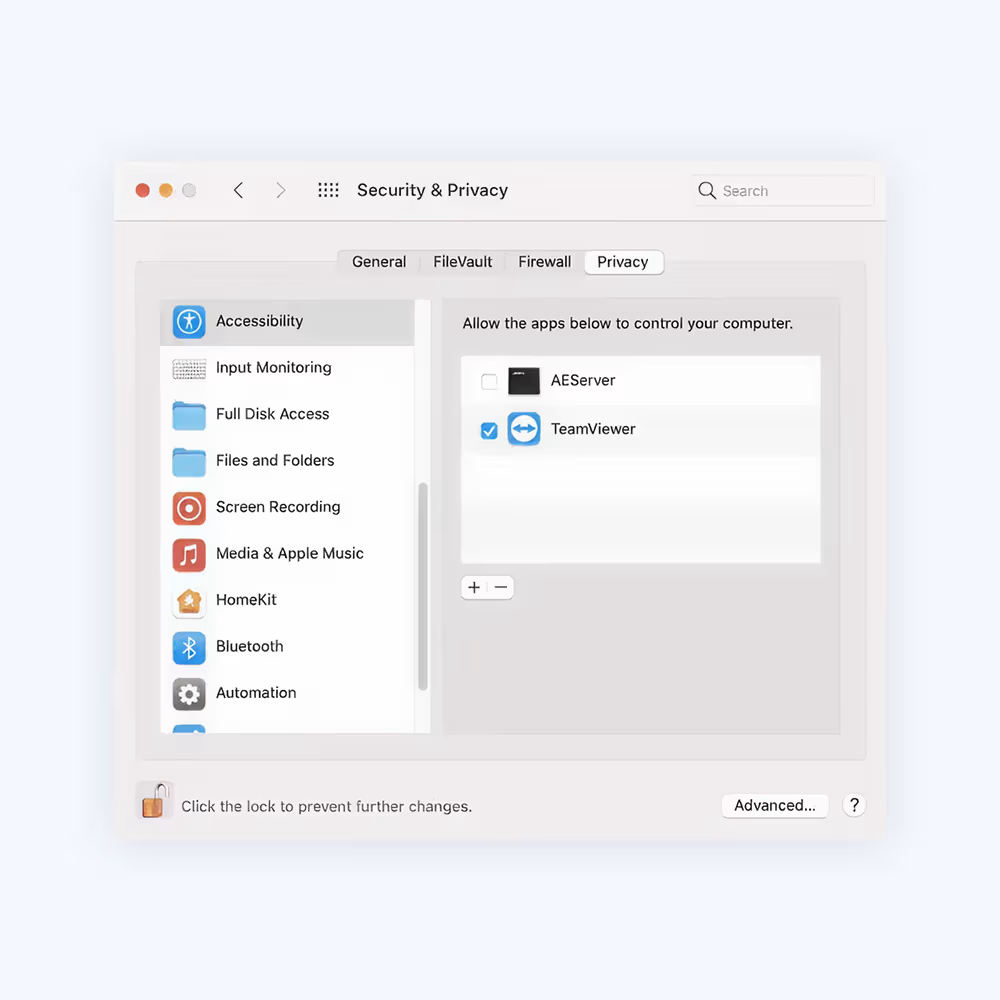
Anda mungkin perlu mengklik ikon gembok di bagian bawah kiri layar untuk melakukan perubahan. Anda juga mungkin diminta memasukkan kredensial akun administrator untuk melanjutkan.
Centang kotak di sebelah TeamViewer untuk memberikan akses.
Catatan:
Jika Anda melihat aplikasi dalam daftar berjudul TeamViewer_Desktop, pastikan untuk mencentang kotak ini juga.
Kembali ke TeamViewer, dan ulangi proses yang sama untuk izin lainnya.
Setelah selesai, Anda dapat mengklik ikon gembok di bagian bawah kiri layar untuk mencegah perubahan lebih lanjut.
Pada saat berikutnya Anda ingin menerima koneksi masuk dengan TeamViewer, orang yang terhubung ke Mac Anda akan dapat melihat dan mengendalikan perangkat Anda.
Status izin dapat diperiksa kapan saja melalui Help > Check system access.