

Quick support
Obtenha assistência remota rápida e confiável da nossa equipe de suporte dedicada.
Para Windows:
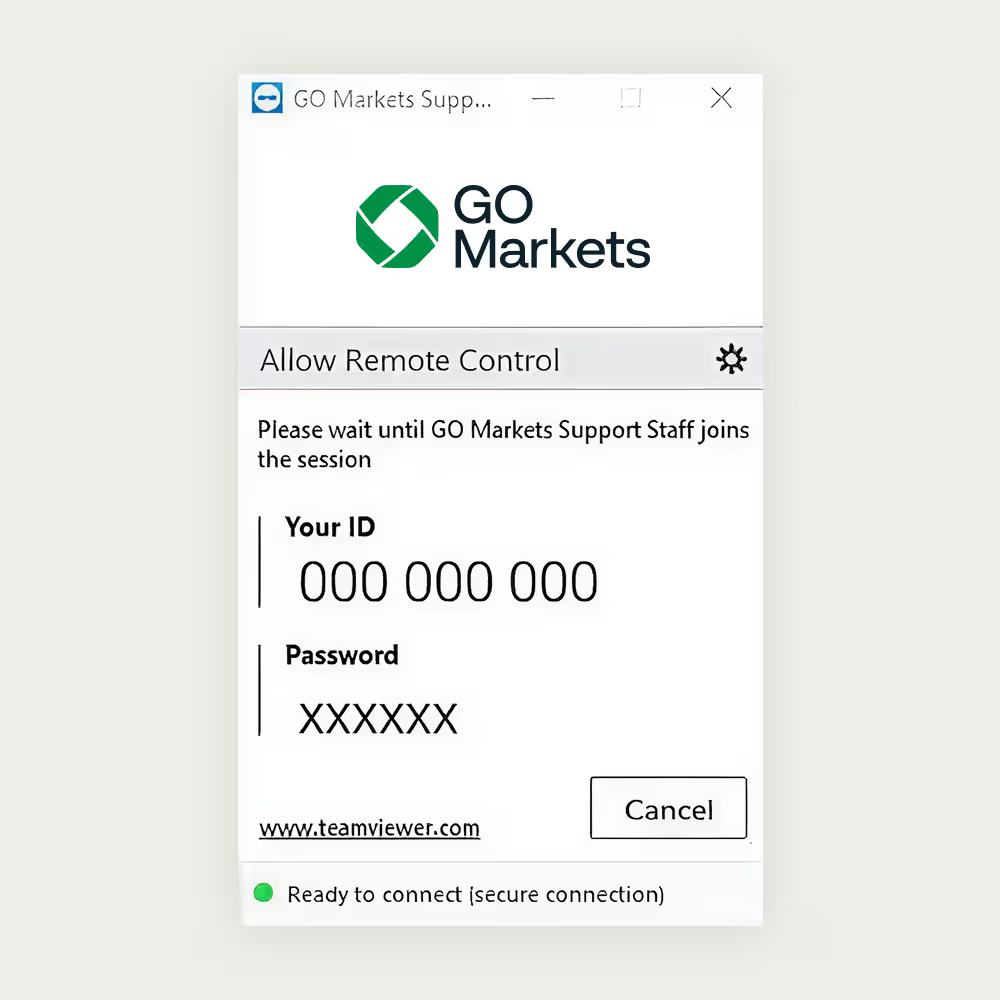
Permitir acesso de controle remoto
1. Execute o GO Markets quick support clicando duas vezes no aplicativo 'TeamViewQS'.
2. Leia o aviso legal e clique em "Aceitar".
3. Forneça seu 'ID do TeamViewer' e 'Senha' à equipe de suporte da GO Markets sempre que precisar de ajuda.
Para Mac:
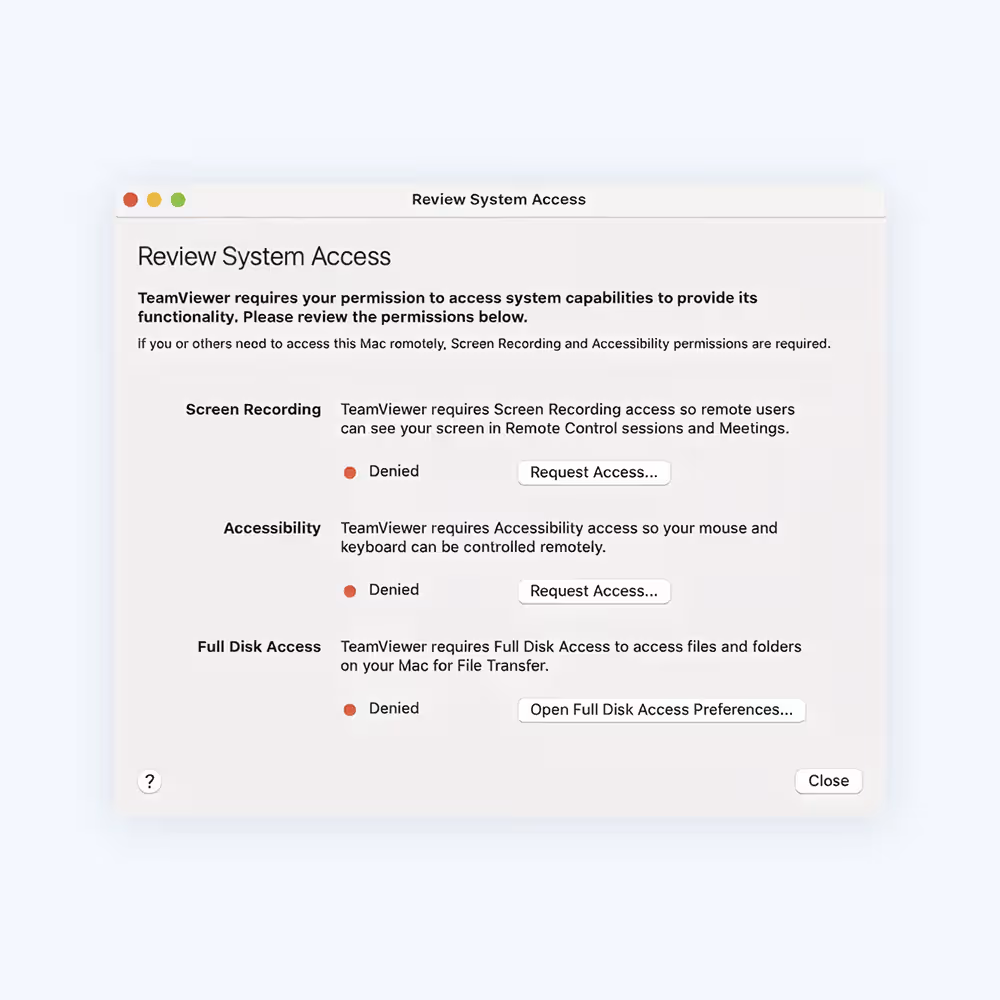
Como conceder acesso ao TeamViewer no seu Mac
Ao iniciar o TeamViewer no seu Mac e executá-lo pela primeira vez, você poderá ver a seguinte caixa de diálogo.
Você também pode abrir esta caixa de diálogo clicando em Ajuda > Verificar acesso ao sistema.
Para permitir o controle remoto de um Mac, você precisará conceder permissão para:
• Gravação de tela (Não é necessária permissão para gravar a tela no macOS 10.14 Mojave) e acessibilidade.
• Para usar a transferência de arquivos, você precisará conceder permissão para: Acesso total ao disco
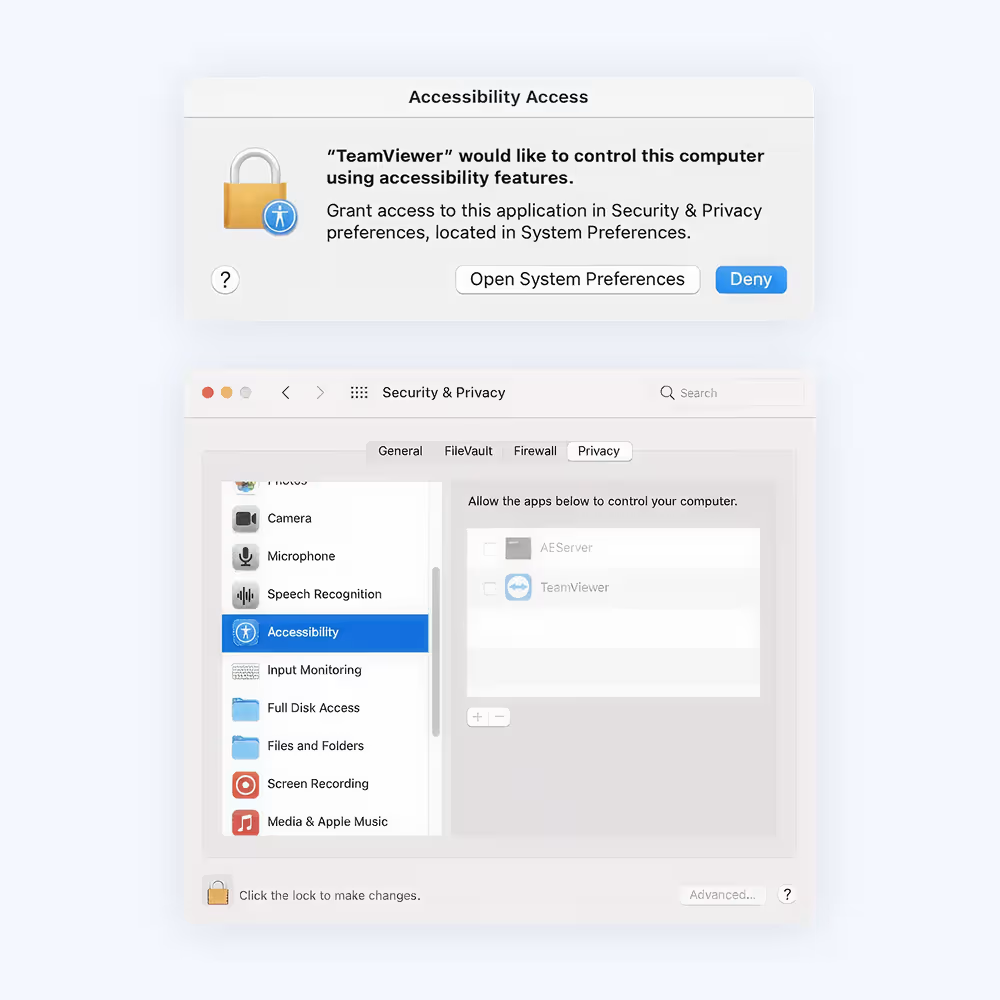
Como permitir o acesso
Para permitir o acesso, clique em cada botão na caixa de diálogo. Isso o levará à configuração correspondente nas preferências de Segurança e Privacidade.
Neste exemplo, usaremos a opção Acessibilidade. Clique no botão Solicitar Acesso à direita de Acessibilidade.
Na caixa de diálogo que se segue, clique em Abrir Preferências do Sistema.
Isso o levará à seção Acessibilidade das preferências de Segurança e Privacidade.
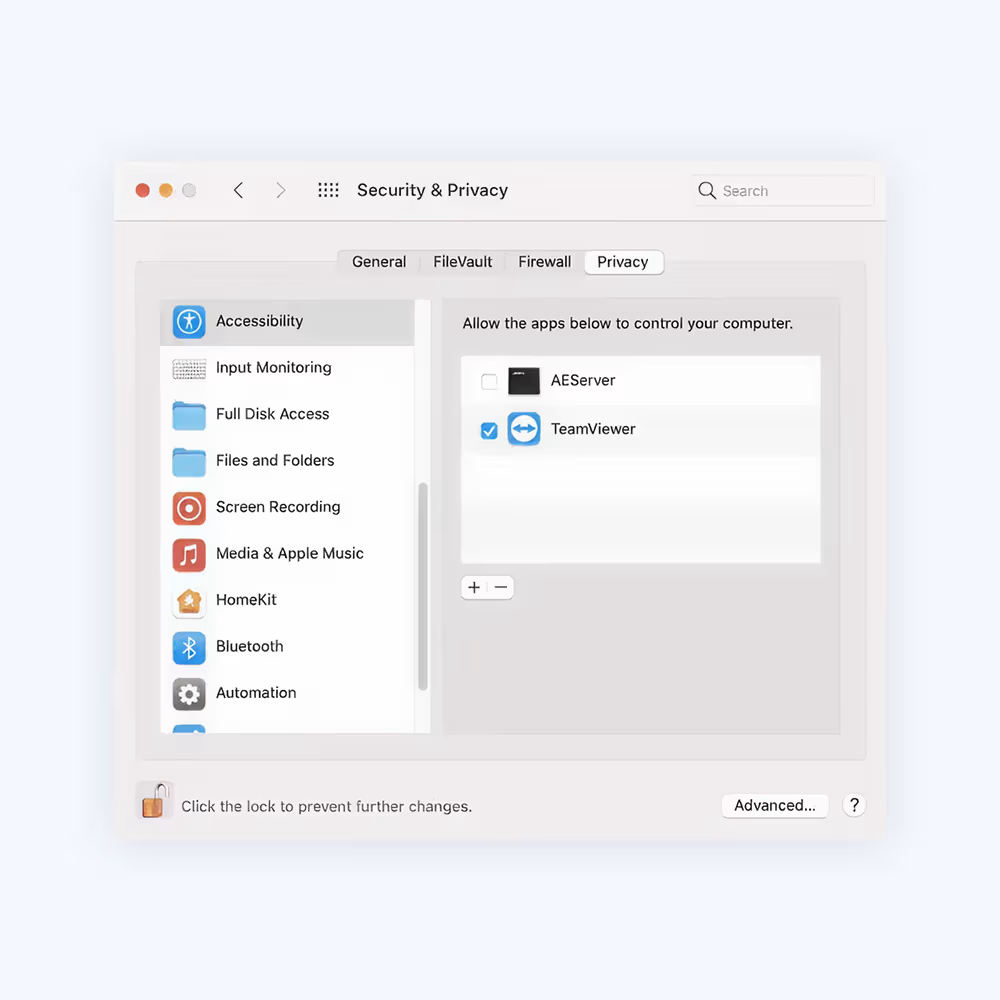
Para efetuar alterações, talvez seja necessário clicar no ícone de cadeado no canto inferior esquerdo. Você poderá ser solicitado a inserir as credenciais de uma conta de administrador para continuar.
Marque a caixa ao lado de TeamViewer para conceder acesso.
Observação:
Se você vir um aplicativo na lista intitulado TeamViewer_Desktop, certifique-se de marcar também esta caixa.
Volte ao TeamViewer e repita o mesmo processo para as outras permissões.
Quando terminar, você pode clicar novamente no cadeado no canto inferior esquerdo para impedir novas alterações.
Na próxima vez que você quiser receber uma conexão com o TeamViewer, a pessoa que se conectar ao seu Mac poderá ver e controlar seu dispositivo.
O status das permissões pode ser verificado em Ajuda > Verificar acesso ao sistema a qualquer momento.